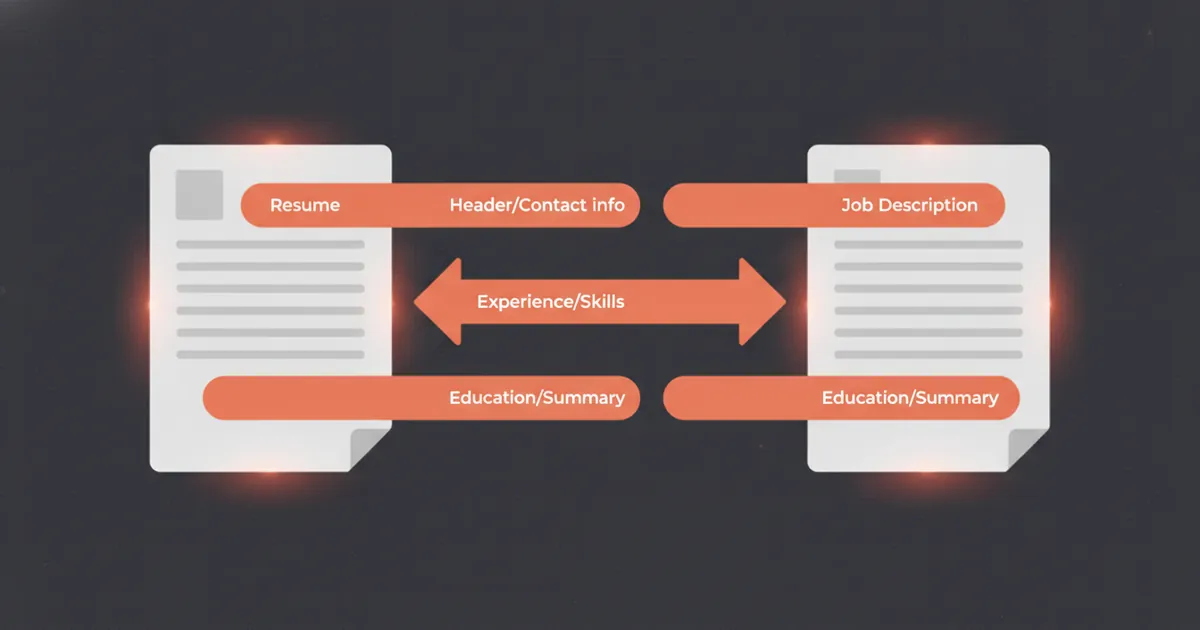
Your resume may be well-written and your experience genuinely strong, but if it fails an ATS resume checklist before a human ever reads it, none of that matters. Applicant Tracking Systems are the first filter at most companies with more than 50 employees, and they care about things most candidates never think about: file encoding, section header names, where your contact information sits on the page. This checklist covers the 12 most common fixable problems, grounded in how modern ATS platforms actually parse documents.
What ATS Software Actually Does to Your Resume
Before the checklist, it helps to understand the real mechanism. ATS software, platforms like Workday, Greenhouse, iCIMS, Lever, and Taleo, does not "reject" your resume automatically in most cases. Research by Enhancv involving structured interviews with 25 U.S.-based talent acquisition professionals found that 92% said their ATS does not auto-reject based on format or content alone. What it does do is parse your resume into a structured database record: name, contact info, job titles, dates, skills, education. If parsing fails or produces garbled output, your record looks incomplete to the recruiter reviewing the queue, and you get skipped.
Separately, keyword ranking matters for high-volume roles. Many ATS display a match score or sort candidates by relevance to the job description. A resume that parses cleanly but lacks the right terminology still lands at the bottom of the stack.
The fixes below address both problems.
The ATS Resume Checklist: 12 Items to Review Before Every Application
1. Use a Plain, Single-Column Layout
Multi-column resumes are the single most common cause of ATS parsing failures. When a system reads left-to-right across two columns, it merges text from both columns into a single stream, producing incoherent sentences that make your experience unreadable in the recruiter's view of your record.
Fix: convert to a single-column layout. One vertical flow, top to bottom. Save the visual design for a separate "human-readable" version you bring to interviews.
2. Remove Tables, Text Boxes, and Graphics
Tables cause the same parsing problem as multi-column layouts, many ATS either skip table contents entirely or read cells out of sequence. Text boxes (a common Word formatting trick) are often treated as images and ignored. Graphics, icons, and charts are never parsed.
This includes decorative elements like skill-rating bars (five dots filled to indicate proficiency level), horizontal dividers built with images, and logo icons for employers. All invisible to ATS.
Fix: replace any tables with plain text with tabs or line breaks. Delete all text boxes and graphics.
3. Keep Contact Information in the Body, Not the Header
A surprising number of resume templates put the candidate's name, phone, and email in the document header, the actual Word/Google Docs header region above the main body. Most ATS skip document headers and footers when parsing. Recruiters open your record in the ATS dashboard and see no contact information.
Fix: place your name, email, phone number, LinkedIn URL, and location (city/state is enough) in the first lines of the document body, above everything else.
4. Verify Your File Format Before Uploading
DOCX (Microsoft Word format) parses most reliably across the widest range of ATS platforms. Modern systems, especially Greenhouse and Lever, handle text-based PDFs well in 2025. The risk with PDFs is that some older platforms (common in large enterprises and government contractors) still struggle with them, and there is no reliable way to know which version of which platform a specific employer uses.
The safest default: submit DOCX unless the job posting specifically requests PDF. If you want the visual polish of a PDF for networking or direct outreach, keep both versions.
Fix: save a DOCX copy of every resume. Name files clearly: FirstName-LastName-Resume.docx.
5. Use Standard Section Header Names
ATS platforms are trained to recognize standard section labels. When you get creative, "My Story" instead of Work Experience, "What I Know" instead of Skills, the system may fail to categorize the content correctly or skip it entirely.
Reliable section headers that parse consistently:
- Work Experience (or Professional Experience, Experience)
- Education
- Skills
- Certifications
- Summary (or Professional Summary)
- Volunteer Experience
- Publications
Fix: audit every section heading in your resume against this list. Rename anything nonstandard.
6. Format Dates Consistently as MM/YYYY
Date inconsistency is a parsing trigger. When dates appear in different formats across a resume, "Jan 2022" in one role, "2022–2023" in another, "Spring 2021" in a third, some ATS systems either fail to calculate tenure correctly or flag the record for review.
Fix: use MM/YYYY throughout. "03/2021 – 11/2023" is unambiguous, machine-readable, and takes zero space. Apply it consistently to every job, education entry, and certification.
7. Match Keywords to the Exact Language in the Job Posting
ATS keyword matching is more literal than most people expect. If a job description says "project management" and your resume says "project coordination," many systems treat these as different terms. The same applies to acronyms: "Search Engine Optimization" and "SEO" are not always treated as identical.
A practical approach: read the job description carefully and note the specific phrases used for the skills and responsibilities you actually have. Mirror that language in your resume. This is not keyword stuffing. It is precision.
For each core skill the posting requires, aim to place it in at least two locations: your skills section and a bullet in the relevant role. Three is better: skills section, a role title line or summary, and a specific achievement bullet.
Fix: do a side-by-side comparison of the job description and your resume before every application. OfferFlow's ATS check tool can automate this gap analysis.
8. Spell Out Acronyms at Least Once
Even if an acronym is standard in your field, spell it out on first use and put the abbreviation in parentheses. Write "Customer Relationship Management (CRM)" rather than just "CRM." This covers you against both systems that index the full term and systems that index the abbreviation.
Fix: scan your resume for any acronym that appears without a spelled-out version and add the expansion on first mention.
9. Quantify Bullets: ATS Rank Resumes by Relevance Score
Modern ATS platforms increasingly weight resumes not just by keyword presence but by how substantive the content reads. Bullets that include numbers, percentages, dollar amounts, or timeframes score higher on relevance rankings.
A bullet like "Managed social media accounts" tells a system very little. "Grew LinkedIn following from 4,200 to 18,000 in 14 months, increasing inbound lead volume 31%" gives the system, and the recruiter, specific, scannable evidence.
Fix: go through every bullet and ask whether a number belongs. Aim for at least one quantified result per role.
10. Remove Fancy Fonts and Non-Standard Characters
ATS platforms parse text, not visual rendering. Fonts that require special encoding, custom web fonts, heavily stylized typefaces, can produce encoding errors that corrupt your text when it is ingested. Unicode decorative characters (bullets, arrows, stars used as design elements) sometimes render as question marks or get dropped entirely.
Safe fonts: Arial, Calibri, Cambria, Garamond, Georgia, Helvetica, Times New Roman. Body text 10–12pt, section headers 12–14pt.
Safe bullet characters: the standard round bullet point (•). Nothing fancier.
Fix: set your entire resume to one of the safe fonts and replace any decorative symbols.
11. Include a Skills Section
Some candidates weave all their skills into job bullets and omit a dedicated skills section. This reduces ATS keyword density significantly. A skills section gives you a concentrated block of searchable terms, tools, technologies, methodologies, certifications, that the system can index without having to parse narrative text.
Keep it clean: a simple comma-separated or line-separated list of hard skills. Soft skills (communication, teamwork) are not worth including here. They are not searchable differentiators. Focus on technical skills, software, platforms, and domain-specific methodologies.
Fix: if your resume lacks a skills section, add one. Review resume examples for your target role to see what skills are commonly listed.
12. Tailor Each Application: Do Not Submit a Generic Resume
This one is not a formatting fix but a strategy point that compounds every other item on this list. A resume optimized for "marketing manager" roles in general will score lower on an ATS for a specific "Content Marketing Manager, SaaS" posting than a resume tailored to that posting's exact language.
The gap between a generic resume and a tailored one is typically 20–40 keyword-match percentage points. That gap determines whether you appear on page one of the recruiter's ATS queue or page four.
Fix: treat each application as its own document. Keep a master resume with everything, then create a tailored version for each role. Adjust the summary, reorder skills to match the posting's priorities, and swap in the exact terminology the employer uses. OfferFlow's job tracker lets you store multiple resume versions alongside each application so nothing gets mixed up.
Quick Reference: ATS Resume Checklist
Before you hit submit, run through these twelve items:
- Single-column layout, no side-by-side columns
- No tables, text boxes, or graphics
- Contact info in the document body, not the Word/Docs header
- File saved as DOCX (unless PDF specifically requested)
- Standard section headers (Work Experience, Education, Skills)
- Dates formatted consistently as MM/YYYY
- Keywords match the exact language of the job posting
- Acronyms spelled out at least once with abbreviation in parentheses
- At least one quantified result per role
- Standard font (Arial, Calibri, Garamond, etc.), 10–12pt body
- Dedicated skills section with hard skills listed
- Resume tailored to this specific posting, not generic
Common Mistakes That Survive Spell-Check
A few issues that every ATS resume checklist should flag but often do not:
Objective statements instead of summaries. "Seeking a challenging position where I can grow" adds zero keywords and wastes prime parsing real estate. Replace it with a 2–3 sentence summary that names your role, years of experience, and two or three core skills from the job description.
Job titles that don't match industry norms. If your employer gave you an idiosyncratic title, "Happiness Engineer" for a customer support role, add the conventional equivalent in parentheses or in a brief note. ATS systems search for standard title strings.
Missing location data. Many ATS allow recruiters to filter by location. If your city and state are missing from your contact block, you may be invisible to location-filtered searches even if your role and skills are a perfect match.
Education section placed too far down. For roles where a degree is listed as a requirement, some ATS calculate a qualification score that includes education. If your education section is buried at the bottom after five pages of experience, there is a small but real risk that a truncated parse will not register it.
How to Test Your Resume Against ATS Before Applying
The most reliable low-tech test: paste the plain text of your resume into a text editor (Notepad on Windows, TextEdit on Mac in plain-text mode). If the text reads cleanly and in the correct order, no jumbled columns, no missing content, no encoding artifacts, your resume will parse acceptably in most ATS. If the text looks scrambled, go back to the layout.
For a more precise keyword-match analysis, paste both the job description and your resume into a side-by-side comparison. Every required skill, tool, or qualification mentioned in the posting should appear somewhere in your resume, using the same words the posting uses.
For roles with detailed technical requirements, software engineering, data science, finance, healthcare administration, look at interview questions for your target role as a secondary keyword source. The competencies that interviewers probe are often the same ones ATS screens for.
The Bigger Picture
The practical truth about ATS, confirmed by the Enhancv recruiter research, is that the system is less of an autonomous gatekeeper than the "75% auto-rejection" myth suggests. What it is, reliably, is a parsing and ranking engine that determines how your application looks when a recruiter opens their queue. Clean parsing means your record looks complete. Strong keyword alignment means you appear near the top of the list rather than on page four.
Every fix on this checklist takes between two minutes (renaming a header) and twenty (tailoring keywords to a specific posting). Given that the average corporate job opening attracts 250+ applications according to Glassdoor data, those twenty minutes are among the highest-ROI investments in a job search.
Work through the list once to build a solid base resume, then apply the tailoring steps, keyword matching, role-specific quantification, to each application. That two-layer approach is how candidates get past ATS and into the conversation.
For more on what makes a resume effective at the role level, see the cover letter guides and salary benchmarks for your target positions. Context that helps you calibrate both what to include and how to frame it.