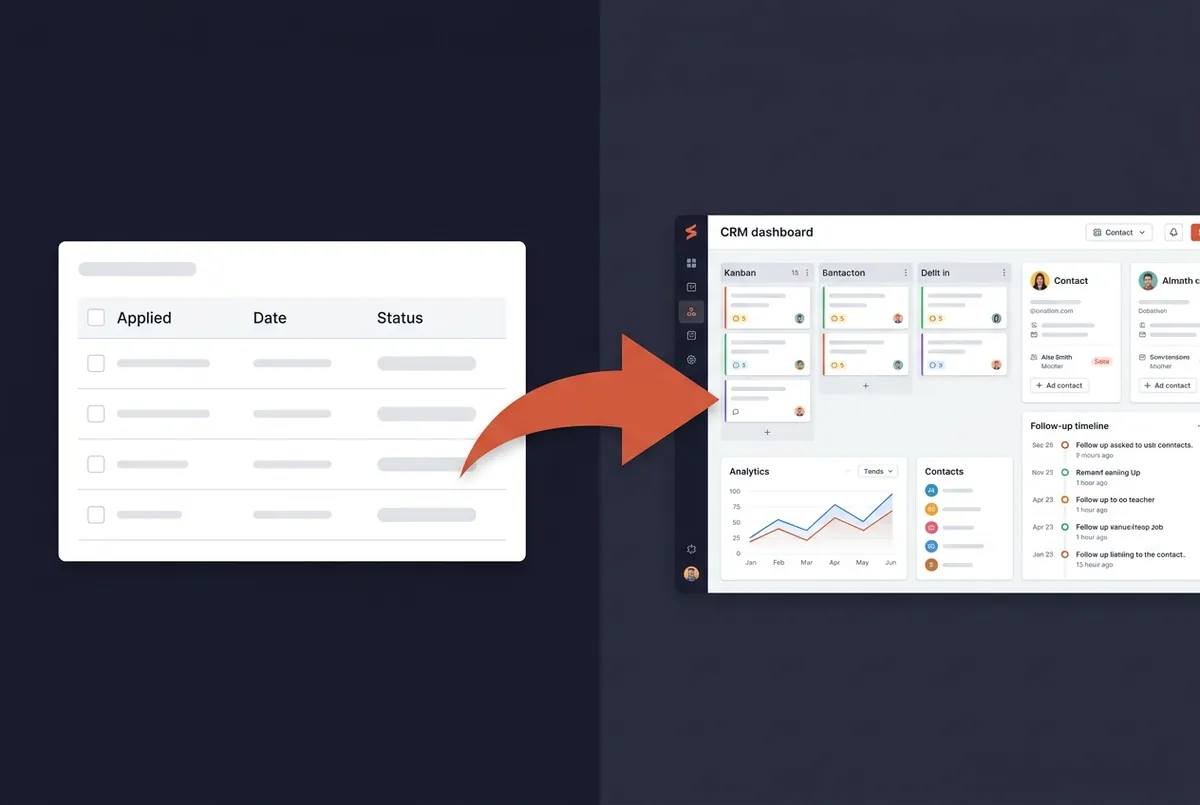
You started your job search with a spreadsheet. Columns for company name, date applied, status. It worked fine for the first 15 applications. Then you upgraded to a tracker app, maybe a kanban board, maybe a dedicated tool. Better, but at 50+ applications, something still feels broken.
You're missing follow-ups. You can't remember which resume you sent where. A recruiter calls about a role you applied to three weeks ago, and you scramble to find the details. Sound familiar?
The problem isn't discipline. It's that you're using a filing cabinet when you need a co-pilot. There's a fundamental difference between a job application tracker and a job search CRM, and understanding that difference can change your results.
What Is a Job Application Tracker?
A job application tracker is exactly what it sounds like: a tool that logs where you applied, when, and the current status of each application. It gives you a list, or maybe a board, of your submissions.
Common tracker formats include:
- Spreadsheets (Google Sheets, Excel): the most common, used by 60%+ of job seekers
- Notion or Airtable templates: more structured, but require setup
- Basic tracker apps: dedicated tools that offer a board or list view
A tracker does one thing well: visibility into what was submitted. You can see at a glance that you've applied to 47 companies this month.
But a tracker doesn't help you act on that information. It doesn't remind you to follow up on day 7. It doesn't tell you which job boards are giving you callbacks. It doesn't store the recruiter's name and what you discussed. It doesn't link the specific resume version you sent to Company A versus Company B.
A tracker is a filing cabinet. It stores information. It doesn't help you use it.
What Is a Job Search CRM?
A CRM, Customer Relationship Management, is a system originally designed for sales teams to manage every stage of a customer relationship. A job search CRM applies the same principle to your applications: it manages the entire lifecycle from first contact to offer.
What separates a CRM from a tracker:
Pipeline analytics. Instead of just seeing a list of applications, you see a conversion funnel. How many applications become screenings? How many screenings become interviews? Where are you losing the most opportunities? Which job boards have the highest response rates? This data lets you stop guessing and start optimizing.
Contact management. Job search involves dozens of people, recruiters, hiring managers, referral contacts. A CRM tracks who they are, what you discussed, and when to follow up with each person. When a recruiter calls, you have the full history in front of you.
Smart follow-ups. Research shows that one follow-up email at day 7 increases response rates from ~4% to ~11%. Two follow-ups push it to ~17%. A CRM tracks your application dates and suggests when to follow up, with draft emails based on the context of each application.
Resume version linking. When you tailor your resume for different roles, a CRM links each version to the specific application it was sent with. No more "which resume did I send them?" moments.
AI assistance. Modern job search CRMs use AI to tailor your resume to specific job descriptions, draft follow-up emails, and prepare you for interviews, all using the context already stored in your pipeline.
A CRM is a co-pilot. It remembers, reminds, and helps you act.
When a Simple Tracker Is Enough
Not everyone needs a CRM. A well-structured spreadsheet or basic tracker works fine when:
- You're applying to fewer than 20 jobs total
- Your search is short: one to two weeks
- You're targeting a single role type in one industry
- You have the time and discipline to manually manage follow-ups
- You don't need analytics because you're not optimizing. You're just submitting
If this describes your search, a simple tracking system is perfectly adequate. Don't overcomplicate it.
When You Need a Job Search CRM
The average job seeker sends 294 applications before landing an offer. At that volume, a tracker breaks down. Here's when a CRM becomes necessary:
You have 50+ active applications. At this scale, you physically cannot track follow-up dates, recruiter names, resume versions, and conversation histories in your head or a spreadsheet. Things slip through the cracks, and each slip is a potentially missed opportunity.
Your search is lasting more than a month. Longer searches mean more data to manage, more relationships to maintain, and more strategy to optimize. A CRM keeps everything organized so you don't lose momentum.
You're targeting multiple roles or industries. Different roles require different resume versions, different talking points, and different follow-up strategies. A CRM handles this complexity without confusion.
You're juggling conversations with multiple recruiters. Each recruiter expects you to remember what you discussed. A CRM gives you that context instantly, no more embarrassing "remind me which role this is for" moments.
You need to optimize, not just track. If you're spending 10+ hours per week on your job search, you should know what's working. Which sources give you the best response rate? Where do applications stall? A CRM's analytics answer these questions.
Feature Comparison: Tracker vs CRM
| Feature | Basic Tracker | Job Search CRM |
|---|---|---|
| Log applications | Yes | Yes |
| Status updates | Manual | Manual + automated stage tracking |
| Follow-up reminders | No (or manual calendar) | Smart, based on application timeline |
| Pipeline analytics | No | Conversion funnel, response rates, time-in-stage |
| Contact management | No | Full CRM, notes, history, reminders |
| Resume version linking | No | Each application tied to its resume version |
| AI assistance | No | Resume tailoring, email drafts, interview prep |
| Job description archiving | Rarely | Automatic |
The gap isn't about one feature. It's about the difference between recording what happened and driving what happens next.
How to Choose the Right Tool for Your Job Search
Ask yourself three questions:
1. How many active applications do I have?
- Under 30: a tracker is fine
- Over 30: you'll benefit from a CRM
- Over 100: you need a CRM. It's not optional
2. How long has my search been going?
- Under 2 weeks: tracker
- Over 3 weeks: CRM will save you time and missed opportunities
- Over 2 months: a CRM with analytics is essential to avoid repeating what isn't working
3. Am I losing track of follow-ups or contacts?
- If yes: CRM. This is the clearest signal.
OfferFlow: A CRM Built for Job Seekers
OfferFlow was designed from the ground up as a job search CRM, not a project management tool adapted for job hunting. It includes pipeline analytics, AI resume tailoring, smart follow-up reminders, contact management, and a Chrome extension for saving jobs from any website.
The kanban pipeline board uses job-search-specific stages (Saved, Applied, Screening, Interview, Offer), and every card holds the full context: job description, resume version, recruiter notes, and follow-up timeline.
Try it free for 7 days, no credit card required.