You submitted an application a week ago. Silence. Should you follow up? How? What do you say without sounding desperate?
The answer is: yes, follow up, and most of your competition won't. A well-timed, professionally written follow-up email is one of the cheapest and most underused tools in the job search. Research consistently shows it increases response rates meaningfully, and it costs you five minutes.
Here's exactly when to send it, what to say, and what to avoid.
Should You Follow Up at All?
Let's address the hesitation directly: most people don't follow up because they're afraid of being seen as annoying or desperate.
Here's the reframe: a follow-up is not a demand. It's a professional courtesies. Recruiters manage hundreds of applications. Your submission may have been buried by volume, flagged for later review, or simply missed. A polite, brief follow-up puts you back at the top of the stack without pressure.
The situations where following up is inappropriate:
- The job posting explicitly says "no calls or emails", respect that
- You've already followed up twice with no response, let it go
- You applied through a system that provides automatic status updates
In every other case: follow up.
When to Follow Up: The Timing Rules
Timing matters more than most people realize. Too soon and you look impatient; too late and the role may be filled.
After submitting an application
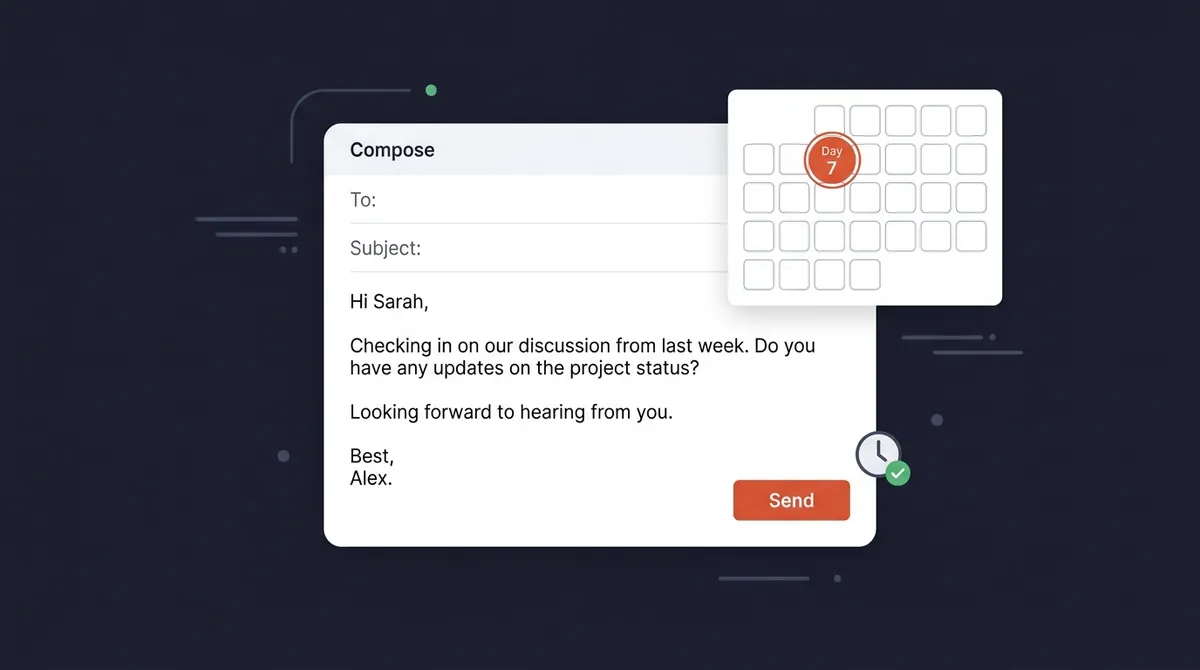
Wait 5–7 business days. This gives the recruiter time to complete an initial review of the applicant pool before your follow-up lands.
- Day 1–2: too soon. They're still receiving applications
- Day 5–7: right timing. Initial sort is done, you're reinforcing your candidacy
- Day 14+: usually too late. The role may have progressed significantly
After a phone screen
Send a thank-you within 24 hours. Then, if they said "we'll follow up by [date]" and that date passes, wait one business day and follow up.
If they gave no timeline, follow up 3–5 business days after the screen.
After an interview
Thank-you note within 24 hours. This is non-optional. It's expected professional behavior, not going above and beyond.
Then, if you have a stated decision timeline: wait until that date passes, give it one more business day, and follow up. If no timeline was given: 5–7 business days after the interview.
The second follow-up
If your first follow-up gets no response, wait another 5–7 business days and send one final, very brief check-in. After two unanswered follow-ups, move on. Don't burn a bridge. The hiring timeline may be on hold for internal reasons that have nothing to do with you.
Follow-Up Email Templates
Template 1: After Submitting an Application
Subject: Following Up, [Job Title] Application
Hi [Name],
I wanted to follow up on my application for the [Job Title] position at [Company], submitted on [Date].
I'm genuinely excited about this opportunity, particularly [one specific thing: the team's work on X, the company's approach to Y, a recent initiative you found interesting]. I believe my background in [relevant skill or experience] would be a strong fit.
Please let me know if you need anything additional from me. I look forward to hearing from you.
Best, [Your Name] [Phone] | [LinkedIn URL]
Why this works: It's brief. It adds one specific signal of genuine interest. It makes it easy to reply. It doesn't pressure.
Template 2: Second Follow-Up (No Response to First)
Subject: Re: [Job Title] Application, [Your Name]
Hi [Name],
I wanted to check in one final time regarding the [Job Title] role. I remain very interested in [Company] and the work your team is doing.
If the timeline has shifted or the position has been filled, I completely understand. I appreciate your time either way. If there's still an opportunity to connect, I'd welcome it.
Thank you, [Your Name]
Why this works: Gracious. Acknowledges they're busy. Doesn't demand a response. Leaves the door open without desperation.
Template 3: Thank-You After a Phone Screen
Subject: Thank You, [Job Title] Conversation | [Your Name]
Hi [Name],
Thank you for taking the time to speak with me today about the [Job Title] role.
I left the conversation even more excited about [something specific they discussed. A project, a challenge the team is solving, the company's direction]. Based on what you shared about [specific thing], I believe my experience with [specific skill or result] positions me well to contribute meaningfully.
Looking forward to the next steps. Please don't hesitate to reach out with any additional questions.
Best, [Your Name]
Why this works: The specific reference proves you were listening. The connection between their context and your experience reinforces fit. It invites next steps without demanding them.
Template 4: Thank-You After an Interview (24-Hour Window)
Subject: Thank You, [Job Title] Interview | [Your Name]
Hi [Name],
I wanted to thank you for the conversation today about the [Job Title] role. I genuinely enjoyed learning more about [team / product / challenge discussed].
I'm particularly excited about [the specific project or problem you discussed], and I believe my experience [doing something directly relevant] would let me contribute quickly.
I look forward to hearing about next steps. Feel free to reach out if anything else would be helpful on your end.
Warm regards, [Your Name]
Note: Send a separate, personalized thank-you to each person who interviewed you, not a single CC'd email. Each note should reference something specific from your conversation with that person.
How to Find the Recruiter's Email Address
If you applied through a job portal and don't have a direct contact, here are your options:
Check the job posting. Sometimes a recruiter name or contact email is listed at the bottom.
LinkedIn search. Search "[Company Name] recruiter" or "[Company Name] talent acquisition." Most recruiters have public profiles.
Email format guessing. Most companies use a standard format: firstname@company.com or firstname.lastname@company.com. Tools like Hunter.io (free tier) can confirm a company's format.
LinkedIn InMail. If you have Premium or the person accepts messages, this bypasses the email question entirely.
Generic inbox. If you can only reach hr@company.com or careers@company.com, it still works, just use a clear, specific subject line: "[Job Title] Application Follow-Up, [Your Name]."
Follow-Up Etiquette: The Rules
Do:
- Keep it short, under 150 words for the initial follow-up
- Reference something specific about the role or company
- Include your phone number and LinkedIn in your signature
- Mention the date you applied or the specific position
Don't:
- Call unless they gave you their phone number and invited it
- CC senior people you found on LinkedIn. This reads as pressure
- Ask "have you made a decision?", ask if they need anything from you
- Write a follow-up longer than your cover letter
- Follow up more than twice for any single application
The System Problem: Tracking Follow-Ups at Scale
One follow-up for one application is easy to manage. But when you're running 15–20 active applications simultaneously, each at a different stage with a different follow-up date, it becomes genuinely hard.
The solution is to treat follow-up dates as scheduled tasks, not mental notes.
When you log an application in your tracker, set the follow-up date at the same time, 7 business days after applying. Treat that date as a commitment, the same way you'd treat a calendar appointment.
If you're using a spreadsheet, add a "Follow-Up Date" column and sort by it each morning. If you're using a job tracking tool like OfferFlow, follow-up reminders are built in, the tool surfaces what's due each day without you having to remember.
The job seekers who follow up consistently are the ones who have a system for it. Make it systematic, and you'll do it reliably. Leave it to memory, and you'll do it sometimes.
What to Do When You Get No Response
Two follow-ups with no reply is a complete communication cycle. At that point:
- Move the application to a "low priority" or "stalled" status in your tracker
- Don't delete or archive it, hiring timelines get restarted, roles reopen
- Focus your energy on active opportunities
The no-response isn't always a "no." Hiring freezes, internal restructuring, and budget approvals all delay processes. Candidates have been contacted months later about roles they'd given up on.
The professional close is your last follow-up: gracious, brief, no pressure. If they come back to you later, you'll have left a good impression.
Following up is a small act with disproportionate impact. Five minutes, the right template, the right timing, and you've done something 80% of applicants won't. In a competitive job market, that's exactly the kind of edge that compounds.